
Connection Manager->Status
| Filed | Description |
|
Displays the connection interface |
|
Displays the connection status of this interface. |
|
Displays the IP Address of this interface. |
|
Displays the subnet mask of this interface. |
|
Displays the gateway of this interface. This is used for routing packets to remote networks. |

Action Items
Click "Add" to add a new priority interface.
Click "Edit" to edit current interface settings.
Click "Delete" to delete current interface.
Connection Manager->Connection
|
Filed |
Description |
|
Displays the priority list of default routing selection. |
|
Displays the connection enable status. |
|
Displays the name of this interface. |
|
Displays the description of this connection. |
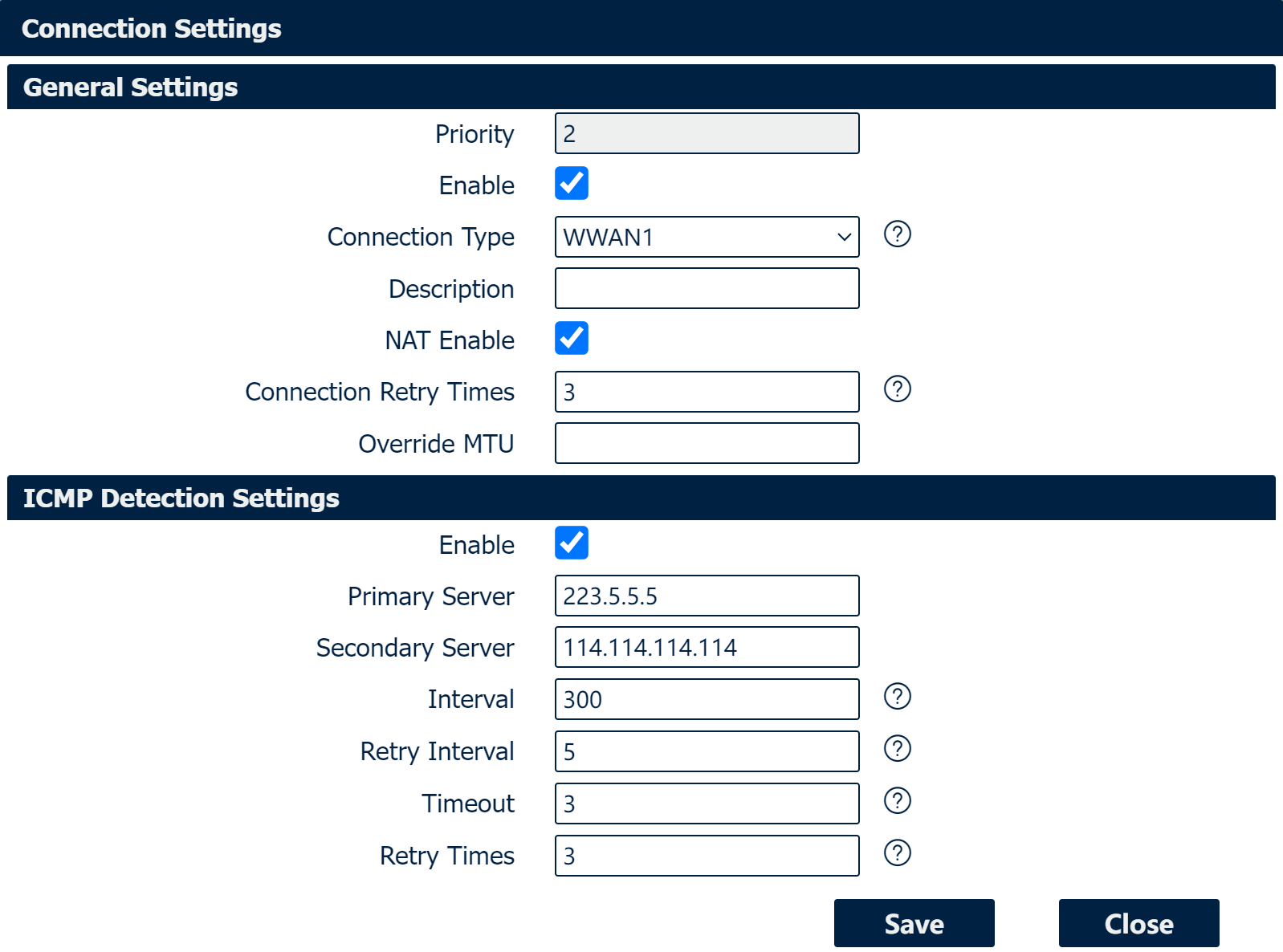
Connection Settings
|
Field |
Description |
|
Displays current index on priority list. |
|
Select the available interface as outbound link. NOTE: specify SIM1 carrier link as WWAN1, SIM2 carrier link as WWAN2. |
|
Check this box to enable NAT (Network Address Translation) on the current link. |
| Connection Retry Times | Specify Retry Times for the whole ICMP detection. |
| Override MTU | Specify a MTU to oberride the MTU on current link. MTU is the maximum length of a data packet that can be transmitted on a network, in bytes. |
|
Check this box to detect link connection status based on pings to a specified IP address. |
|
Enter the primary IP address that pings will be sent to, to detect the link state. Recommend entering the IP address of known external reachable server or network (e.g. 8.8.8.8). |
|
Enter the secondary IP address that pings will be sent to, when the primary server is ping failed, router would try to ping the secondary server. |
|
The duration of each ICMP detection in seconds. |
|
The interval in seconds between each ping if no packets have been received. |
|
Enter timeout for received ping reply to determine the ICMP detection failure. |
|
Specify the retry times for ICMP detection. |